
How to Install Jenny Mod
Follow our step-by-step installation guide to get Jenny Mod running on Minecraft Java Edition or Bedrock Edition. Complete instructions for beginners and advanced users alike.
Step-by-Step Instructions
Select your Minecraft edition below and follow each step carefully to install Jenny Mod successfully on your device.
Install Minecraft Forge 1.12.2
Jenny Mod for Java Edition requires Minecraft Forge as its mod loader. Visit the official Forge website and download the installer for Minecraft version 1.12.2. Run the downloaded installer, select "Install Client," and click OK. The installer will set up Forge automatically and create a new profile in your Minecraft Launcher. This step is essential because Jenny Mod is a Forge-based mod and will not work with Fabric or other mod loaders.
Download Jenny Mod
Head over to our download page and click the Java Edition download button to get the Jenny Mod .jar file. The file will download directly from the official GitHub repository. Save it to a location you can easily find, such as your desktop or downloads folder. Do not extract or rename the file -- it needs to remain as a .jar file for Forge to recognize it.
Locate Your Mods Folder
You need to place the downloaded file in the correct Minecraft mods directory. On Windows, press Win + R, type %appdata%\.minecraft\mods, and press Enter. On macOS, open Finder and navigate to ~/Library/Application Support/minecraft/mods. On Linux, go to ~/.minecraft/mods. If the mods folder does not exist, create it manually. Make sure you are in the right directory before proceeding.
Install the Mod File
Copy or move the Jenny Mod .jar file that you downloaded into the mods folder. Do not place it inside any subfolder. The .jar file should sit directly inside the mods directory alongside any other mods you may have. If you are updating from a previous version, remove the old Jenny Mod .jar file first to avoid conflicts between different versions of the Minecraft Jenny Mod.
Launch Minecraft with Forge
Open the Minecraft Launcher and look for the Forge 1.12.2 profile in the bottom-left profile selector. If you do not see it, click "Installations," find the Forge profile, and make sure it is enabled. Select the Forge 1.12.2 profile and click "Play." Minecraft will take slightly longer to load as it initializes Forge and loads all the mods from your mods folder, including Jenny Mod.
Verify and Start Playing
Once Minecraft finishes loading, you should see the Forge menu with a "Mods" button on the main screen. Click it and look for Jenny Mod in the list to confirm it loaded successfully. If it appears, create a new Survival or Creative world and start playing. You can summon Jenny by crafting specific items or finding her in the game world. Enjoy your Minecraft Jenny Mod adventure!
Download Jenny Mod Bedrock Files
Visit our download page and download the Jenny Mod Bedrock .mcpack file. For the best experience, also download the Jenny Texture Pack (.mcpack) and optionally the Jenny Dweller Addon (.mcaddon). These files are specifically designed for Minecraft Bedrock Edition on Windows 10, Android, and iOS. Save all files to an accessible location on your device.
Import Files into Minecraft
Tap or double-click each downloaded .mcpack and .mcaddon file. Minecraft Bedrock Edition will automatically open and begin importing the mod. You should see a notification saying "Successfully imported" for each file. On Android, if the file does not open automatically, use a file manager to navigate to the download and choose "Open with Minecraft." On iOS, tap the file and select Minecraft from the share menu.
Create or Edit a World
Open Minecraft Bedrock and either create a new world or edit an existing one. In the world settings, scroll down to find the "Behavior Packs" section and activate the Jenny Mod behavior pack. Then go to "Resource Packs" and activate the Jenny Texture Pack. Both packs need to be enabled for the mod to display and function correctly in your Minecraft world.
Enable Experimental Features
Jenny Mod Bedrock requires certain experimental features to be turned on. In your world settings, look for the "Experiments" or "Experimental Gameplay" section and enable "Holiday Creator Features." You may also need to enable "Custom Biomes" and "Upcoming Creator Features" depending on the version of the mod. These toggles allow the Jenny Mod Bedrock addon to register its custom entities and behaviors properly.
Launch and Play
Save your world settings and launch the world. If everything is configured correctly, Jenny Mod Bedrock will be active in your game. You can find Jenny and other mod characters spawning in your world or use commands to summon them. If the mod characters do not appear, double-check that both the behavior pack and resource pack are activated, and that experimental features are enabled in your world settings.
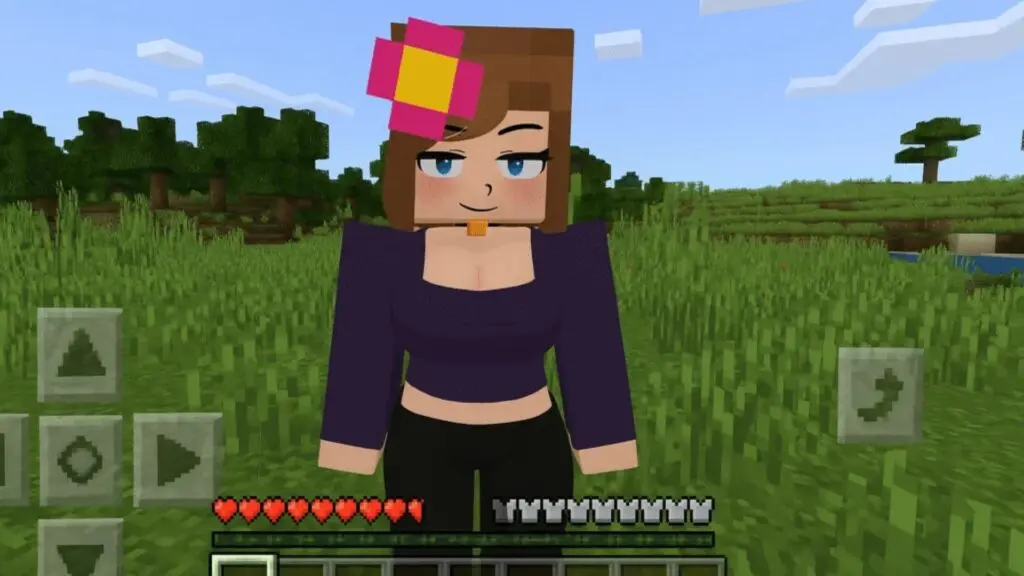
Getting the Most from Jenny Mod
Once you have successfully installed the Minecraft Jenny Mod, there are a few things you can do to enhance your experience. Start with a new world in Creative mode to explore all the mod features without worrying about survival mechanics.
If you are playing on Java Edition, consider allocating more RAM to Minecraft through the launcher settings. Go to Installations, click the three dots on your Forge profile, select Edit, and increase the JVM argument from -Xmx2G to -Xmx4G or higher. This helps prevent lag and stuttering, especially if you run multiple mods.
For Bedrock players, make sure your device has enough storage space and close background apps before playing to ensure smooth performance with the Jenny Mod Bedrock addon.
Common Issues & Fixes
Running into problems installing Jenny Mod for Minecraft? Here are the most common issues and their solutions to get you back on track.
Minecraft Crashes on Startup
This is usually caused by a version mismatch. Jenny Mod for Java requires exactly Minecraft 1.12.2 with Forge. If you are running a different Minecraft version, the mod will cause a crash. Open your Minecraft Launcher, check that your Forge profile is set to 1.12.2, and try again. Also, make sure you have enough RAM allocated -- at least 4 GB is recommended for modded Minecraft.
Mod Not Appearing in Mod List
If Jenny Mod does not show up in the Forge mod list, the .jar file is likely not in the correct folder. Make sure it is in the .minecraft/mods directory and not inside a subfolder. The file must be a .jar file -- if your browser added a .zip extension or the file was extracted, rename it back to .jar. Restart Minecraft completely after placing the file.
Bedrock Import Fails
If tapping the .mcpack file does not open Minecraft Bedrock, the file association may not be set correctly. On Android, try using a file manager and selecting "Open with" > Minecraft. On iOS, use the share sheet. On Windows 10, right-click the file, choose "Open with," and select Minecraft. If the import starts but fails, ensure your Minecraft Bedrock app is updated to the latest version.
Characters Not Spawning
If Jenny and other mod characters are not appearing in your world, check a few things. For Java Edition, make sure you created a new world after installing the mod -- existing worlds may need reloading. For Bedrock Edition, verify that both the behavior pack and resource pack are active on your world, and that experimental features (Holiday Creator Features) are enabled. Try switching to Creative mode and using spawn commands.
Low FPS and Lag
Performance issues can occur if your system is running low on resources. For Java Edition, allocate more RAM through the launcher (4-6 GB recommended), lower your render distance to 8-12 chunks, and turn off fancy graphics or shaders. For Bedrock Edition, reduce the render distance, turn off beautiful skies, and close other applications. Running Jenny Mod on its own without too many other mods will also improve performance.
Mod Conflicts with Other Mods
Jenny Mod generally works well alongside other Forge 1.12.2 mods, but some mods that modify entity behavior or override textures may cause conflicts. If you experience crashes or strange behavior after adding new mods, remove them one by one to identify the conflicting mod. Always keep backups of your worlds before testing new mod combinations with your Minecraft Jenny Mod setup.
Performance Tips
Optimize your Minecraft installation for the best Jenny Mod experience with these proven performance tips.
Allocate More RAM
For Java Edition, open Minecraft Launcher settings and increase memory allocation to 4-6 GB. This prevents out-of-memory crashes and helps Jenny Mod run smoothly alongside Forge. Access this through Installations > Edit Profile > JVM Arguments.
Optimize Video Settings
Lower your render distance to 8-12 chunks, set graphics to "Fast" instead of "Fancy," disable smooth lighting, and turn off clouds. These settings significantly reduce GPU and CPU load while running the Minecraft Jenny Mod without noticeably reducing visual quality.
Install OptiFine (Java)
OptiFine is a free optimization mod for Java Edition that dramatically improves FPS. Install the OptiFine version for 1.12.2 alongside Jenny Mod in your mods folder. It adds advanced graphics settings and chunk loading improvements that benefit any modded Minecraft setup.
Close Background Apps
Minecraft and its mods benefit from having as much system memory and CPU time as possible. Close web browsers with many tabs, streaming applications, and other games before launching Minecraft with Jenny Mod. This is especially important for mobile Bedrock players running Jenny Mod on Android or iOS.
Keep Java Updated
For Java Edition players, make sure you are running the latest version of Java 8 or higher. Outdated Java versions can cause performance issues and compatibility problems with Minecraft Forge and Jenny Mod. Download the latest Java Runtime Environment from the official Oracle or Adoptium website.
Backup Your Worlds
Always create backups of your Minecraft worlds before installing or updating any mod, including Jenny Mod. Copy your saves folder to a safe location. If anything goes wrong during installation or a mod update, you can restore your worlds without losing your progress or builds.
Installation FAQ
Answers to the most frequently asked questions about installing Jenny Mod for Minecraft on Java and Bedrock platforms.
Yes, Minecraft Forge is required for the Java Edition of Jenny Mod. Specifically, you need Forge for Minecraft version 1.12.2. Forge acts as a mod loader that allows Minecraft to recognize and run mod files like Jenny Mod. Without Forge installed, the game will not load the .jar file. However, the Bedrock Edition of Jenny Mod does not require Forge at all. Bedrock players simply import the .mcpack and .mcaddon files directly into Minecraft.
There are several reasons why Jenny Mod might not appear. First, verify the .jar file is in the correct .minecraft/mods folder and not in a subfolder. Second, confirm you are launching Minecraft with the Forge 1.12.2 profile, not the vanilla launcher profile. Third, check that the file has a .jar extension and was not accidentally renamed or extracted. For Bedrock players, ensure both the behavior pack and resource pack are activated on your specific world, and that experimental gameplay features are turned on.
Yes, Jenny Mod is generally compatible with other Forge 1.12.2 mods. Many players run it alongside popular mods like OptiFine, JourneyMap, and JEI without any problems. However, mods that heavily modify entity AI, rendering systems, or overwrite core game files could potentially cause conflicts. If you experience crashes when using multiple mods, try removing mods one by one to find the incompatible one. Always make sure all your mods are for the same Minecraft version (1.12.2).
Installing Jenny Mod on Android is straightforward. First, download the .mcpack files from our download page using your mobile browser. Once the download completes, tap on the .mcpack file. Android should prompt you to open it with Minecraft. If not, use a file manager app to locate the file and select "Open with Minecraft." After importing, create a new world in Minecraft Bedrock, activate the behavior pack and resource pack in the world settings, enable experimental features, and start playing.
Crashes after installing Jenny Mod are typically caused by three things: wrong Minecraft version, insufficient RAM, or mod conflicts. First, confirm you are running Minecraft 1.12.2 with Forge -- no other version will work with the Java Edition of Jenny Mod. Second, allocate at least 4 GB of RAM in your Minecraft Launcher settings under JVM Arguments. Third, if you have other mods installed, temporarily remove them to see if Jenny Mod works on its own. If the issue persists, delete the mod from your mods folder, redownload it from our download page, and try the installation again from scratch.
Ready to Download Jenny Mod?
Get the latest version of Jenny Mod for Minecraft Java Edition or Bedrock Edition. Our download page provides safe, direct links from official GitHub repositories.